
April 25, 2026
End the manual invoice loop — so teams review outcomes, not keystrokes
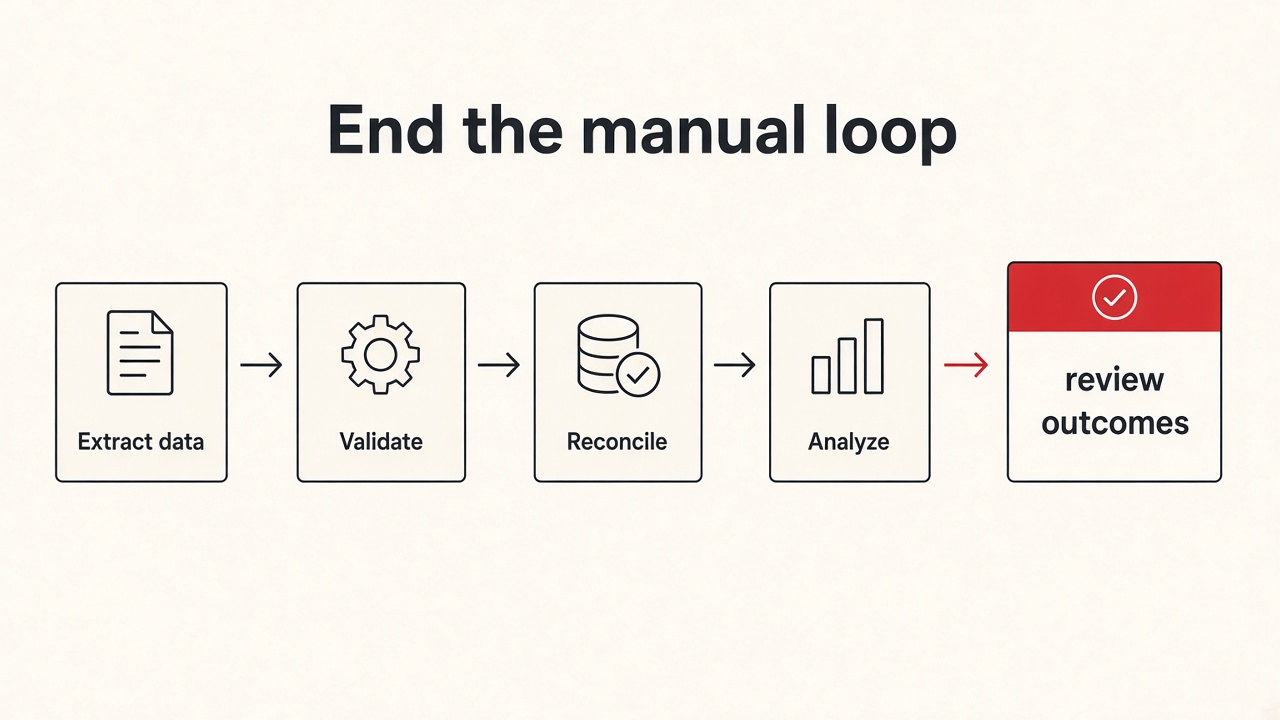
I rarely start AP automation with “wire up a generic workflow canvas.”
I start with:
- What is the purpose — stop people from re-checking every invoice by hand?
- Who does the grind today — encoding, analysts, accounting?
- What must stay human, and what is only labor?
- What does “done” look like if teams judge outputs, not keystrokes?
The work looked simple on paper. Copy invoice fields from vendor portals. Check whether the invoice already sits in the AP system. Download the PDF only when it is still missing. Upload it into the AP documents path. Then do it again for the next location.
That loop burns the day. Encoding and accounting spend hours on portal labor. They get less time for the work that matters: exceptions, judgment, and clean output.
Context
The problem I was solving
The team already knew the steps. The cost was repetition and re-checking.
- Same fields copied from portal to portal
- Same “is this already posted?” search in AP
- Same download only when needed
- Same upload into documents to process
Errors came from fatigue, not from missing process. A canvas-style workflow builder looked tempting. It was the wrong fit. Each portal has quirks. Eligibility depends on invoice state. OTP stays with a person. This company needed fixed steps coded for its rules, not a drag-and-drop toy that pretends every site is the same.
What we already had
We already had portal accounts, location mappings, and people who knew the loop cold. What we lacked was a single Rails tool that ran the loop for this business and left humans on the outcomes.
How I came up with the solution
The question was not “which no-code automation product?” It was this: if the loop is already known, why are people still the glue between every portal click?
vendor portal
  copy invoice fields
        │
        ▼
AP system
  is it already posted?
        │
        ▼
vendor portal again
  download PDF only if needed
        │
        ▼
AP documents path
  upload for processing
So I built a fixed pipeline in Rails for this company. Four coded steps. Browser automation where the portals demand a real session. Background jobs for the runs. No second system of record for “workflow ideas.” The product is the business loop, written as code.
What I proposed
Four fixed steps
- Get invoice metadata — pull invoice number, date, and amount from the vendor portal for configured locations.
- Find unposted invoices — search the AP system and record whether each invoice is already posted.
- Download the PDF — only when the invoice is checked, still unposted, and has no file yet.
- Upload to the AP documents path — send the PDF into documents to process when a file is ready and not yet uploaded.
Eligibility is the contract
Steps do not pass a secret bag of data in memory. They read invoice state. Checked or not. Posted or not. File present or not. Uploaded or not. That gate is what stops wasteful downloads and double uploads.
Pipelines and schedules
A pipeline can chain those four steps in order. Automate or a schedule can run an assignment without a person driving every click. When OTP appears, a person still completes it. The tool does not pretend otherwise.
What reviewers see
Encoding, analysts, and accounting do not parse raw job logs to know what happened. They use run history and an invoice spreadsheet. Engineers keep logs and job tooling. The split matters. Reviewers judge outcomes. Engineers debug machinery.
The pipeline removes the laborious middle. People keep the judgment.
Limits I stay honest about
- OTP and other second factors stay human. Full hands-off login is not a claim.
- Posted in AP is not the same as uploaded to the documents path. Those are different moments. Mixing them creates false confidence.
- Portal quirks live in code for this company. A shared canvas template will not absorb them for free.
- Failed invoices still need a person. Automation removes the grind. It does not remove exceptions.
- This is not a product you reconfigure into any industry overnight. It is tailored on purpose.
What “done” means
Not “a workflow diagram looks pretty.”
- The four steps run in order without a person copying every field
- Downloads happen only when eligibility says they must
- Uploads land in the AP documents path when a file is ready
- Run history and the spreadsheet show what succeeded and what failed
- Encoding and accounting spend time on exceptions and output, not on re-checking the whole loop
If those hold, the Rails pipeline did its job. It ended the manual invoice loop for this business — hardcoded where it must be, so people focus on what truly matters.