
April 11, 2026
Turn inventory age into a refresh plan
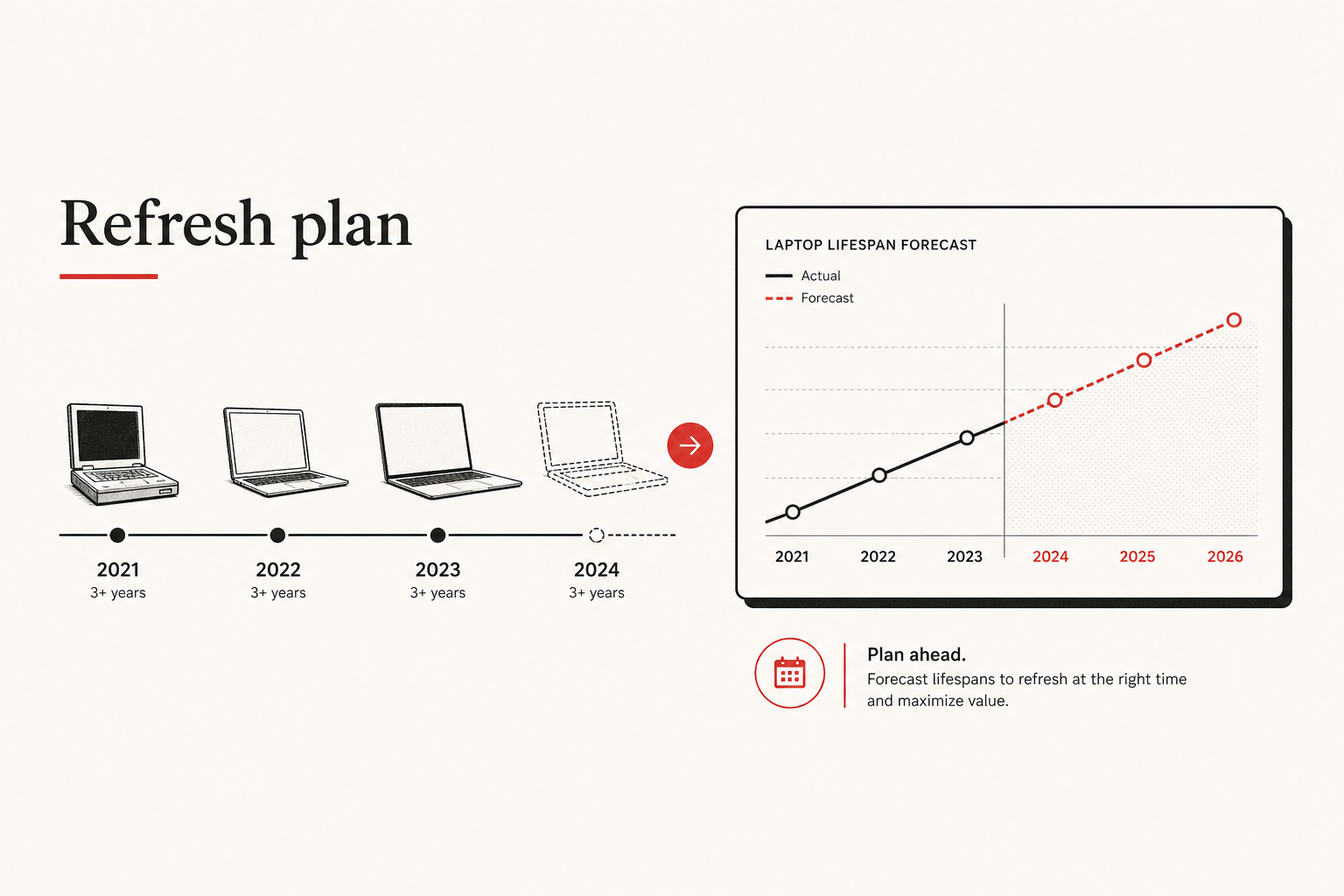
I rarely start inventory analytics with “which chart looks nicest?”
I start with:
- What’s the purpose — stop waiting for the next broken device?
- What data do we already collect in day-to-day IT work?
- How do we turn that into decisions for support, procurement, and budget?
In day-to-day operations you cannot reliably predict which system or piece of equipment will fail next. For an IT team, that uncertainty is normal — and expensive — when the only plan is to react after something breaks.
Context
The problem I was solving
Support lived in a reactive loop: ticket comes in, device is bad, buy or repair under pressure. Leadership asked for better budget timing, but we had no honest answer for “how long does this model actually last here?”
What we already had
I did not start from a blank analytics product. The inventory system I built already recorded the operational chain:
- Items — what we own, with purchase or acquisition dates when filled in
- Assignments — when a device first goes to a user
- Issue logs — what failed while it was in use
- Returns / disposals — when it comes back to IT or leaves active stock
- Cost and org rollups — enough structure to see spend by department and role
That was enough raw material. What we lacked was treating that history as a model lifespan baseline and a planning signal — not only as custody and ticket noise.
How I came up with the solution
The question was not “build more charts.” It was: if we already know assign → issues → return, why are we still planning refresh only after failure?
what we already logged
  items + dates
  assign to user
  issues while in use
  return to IT
        │
        ▼
what that can answer
  how long does this model last here?
  which models fail often enough to avoid?
  when should budget land — before the outage?
        │
        ▼
Insights (same data, different job)
  replacement forecast
  model issue patterns
  cost by department & role
So the solution was to reuse the operational store we already ran for inventory, and expose three views that change buy / avoid / fund decisions. No second system of record — same assignments and issues, aimed at proactive planning.
What I proposed
Replacement forecast
Use age and lifecycle history to answer: what will we likely need to replace soon, and where should budget go?
That turns “we have stock” into “we should plan refresh here” — for annual planning, hiring waves, or before standardizing on a new line.
Model issue patterns
Roll issue logs up to the model so reliability becomes a procurement input: avoid reordering this, or retire early.
Cost by department and role
Use existing cost and assignment structure to answer: where does IT spend sit? — for allocation talks that match what departments actually hold.
Together: forecast says when, issue patterns say what to avoid or prefer, cost rollups say where the money sits. The visuals stay grounded because they sit on data we already collected while doing normal IT work.
Data hygiene (the condition)
The lifespan baseline only works if the chain we already rely on stays complete:
- Purchase or acquisition dates filled in
- Assignments current
- Returns and disposals recorded
- Issues logged against the right items
Missing dates or silent returns break the baseline. Charts will not invent history we never wrote down.
Limits I stay honest about
- This does not predict every failure tomorrow — it builds a model-level picture from history we already have.
- The forecast is a planning guide, not a purchase order and not exact dollars.
- I did not invent a parallel inventory — Insights sit on the same operational data.
- No dashboard vanity — if a view does not change buy / avoid / budget decisions, it does not earn a seat.
What “done” means
Not “the report page loads.”
- We can explain model lifespan from assign → return, not only from the next outage
- Unreliable models are flagged before the next reorder
- Budget talks use predictive visuals from real operational data
- Support and IT move from reactive to proactive on refresh — a smarter use of tools we already had
If those hold, the inventory system already did more than track gear. It gave us a refresh and budget practice built on the work support was already logging every day.